Page 1 of 1
1.56.00 Strange footer on planning view
Posted: 01 May 2026, 13:40
by Ralf
See screenshot.
This can be seen on your demo.
I cannot reproduce on my own test installation...
Re: 1.56.00 Strange footer on planning view
Posted: 04 May 2026, 08:03
by soplanning
Thanks for reporting, but we can't reproduce the issue.
Can you let us know how to do it ?
Re: 1.56.00 Strange footer on planning view
Posted: 04 May 2026, 13:07
by Ralf
- Go to a time where there is no project (like today, May 4th)
- Change Display to Projects Planning
- Switch on Display summary below
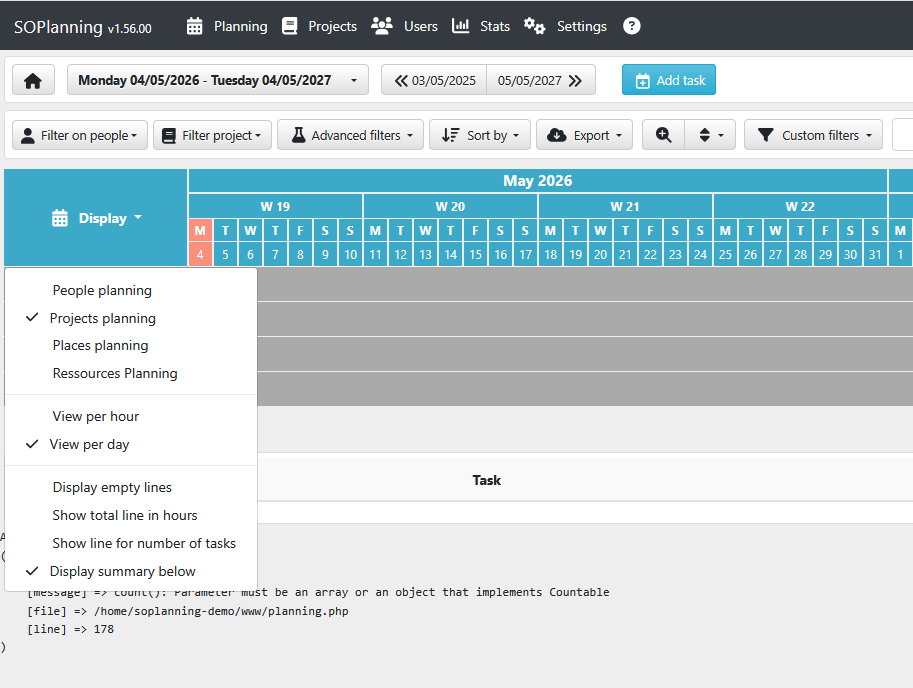
- strangefooter1.png (58.04 KiB) Viewed 26180 times
Works also with
People Planning.
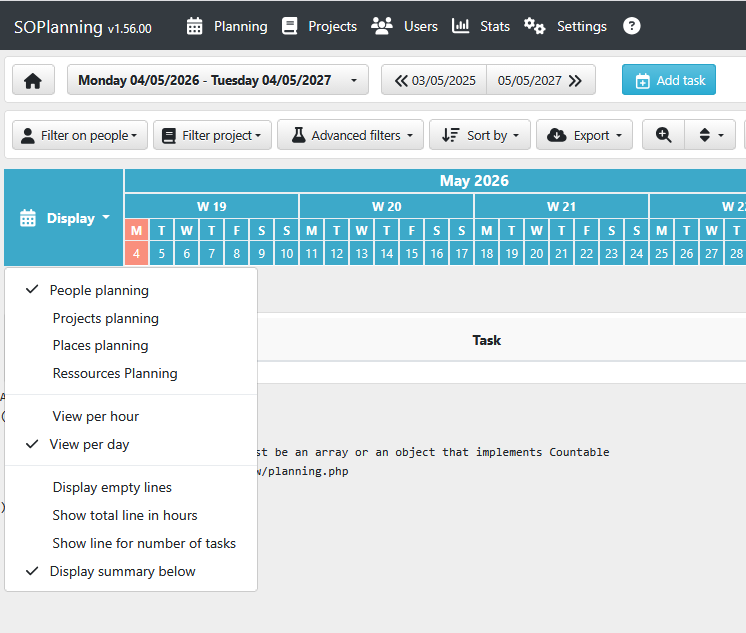
- strangefooter2.png (51.81 KiB) Viewed 26180 times
Another form of that anomaly: Visible in the background of the table, when two prjects are displayed:
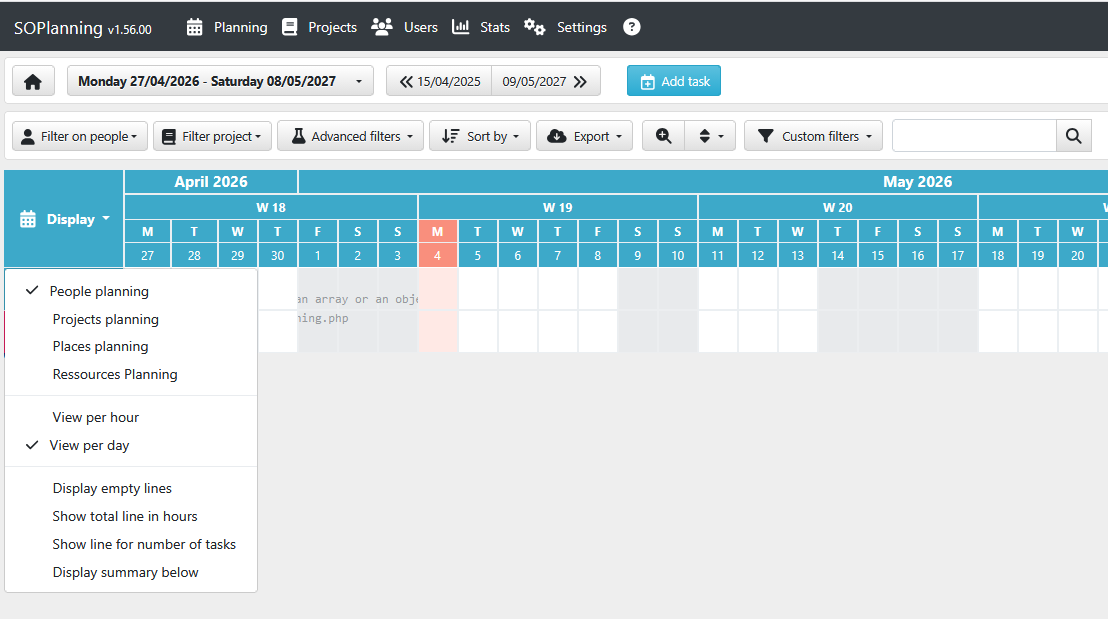
- strangefooter3.png (56.76 KiB) Viewed 26180 times
...seems to be a Firefox issue. All pictures taken from Firefox.
I tried with Chrome and Edge and could not see something comparable.
Probably not the most important thing...